


VPN Master
4.3931.00 Reviews
App Specs
- Version
- 1.3.3
- Updated On
- License
- Free
- Downloads
- 5,000,000+
- Developer
- Games.Studio
- Categories
- Tools
- Platform
- Android
Screenshots
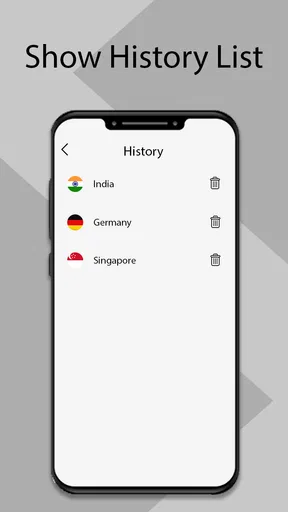
 Analysis by AppCompare
I find VPN Master easiest to judge by the job it is meant to do: give someone a straightforward way to route a phone’s connection through a VPN without making them learn much about networking. That simplicity is appealing when I’m joining public Wi-Fi or want an extra layer between my device and the local network. It is also a reason to keep expectations measured: a VPN can change how traffic is routed, but it cannot make every online activity private or safe by itself.
What to expect from a simple VPN app
For a first-time VPN user, the basic appeal is clear. A prominent connection control and a limited amount of setup can make it less intimidating than a service that puts protocol choices, server diagnostics, and advanced network settings front and center. In practice, that kind of simplicity is most useful when I need a quick connection before opening a browser or app, rather than when I want to tune every part of a network session.
That convenience comes with a trade-off. If I want to know exactly which connection method is in use, compare detailed performance information, or make a carefully controlled choice of location, I would look closely at what the current app exposes before relying on it for that purpose. A simple interface reduces friction, but it can leave experienced users wanting more visibility and control.
Where it fits into an ordinary day
Picture a routine stop at a café: I connect to its Wi-Fi to check a travel booking, read messages, and look up directions. A VPN can help protect the connection from other people sharing that local network, so switching it on before signing in is a sensible habit. I would still use the official booking app, avoid unexpected login prompts, and keep account security features enabled; the VPN is one layer, not a substitute for those precautions.
For that sort of short session, a quick-connect workflow is more valuable than a long list of technical options. I would connect before opening sensitive apps, then check that the VPN indicator remains active if the phone changes networks. If the connection drops or an app stops loading, I would pause the sensitive task rather than assume the VPN has silently recovered. That small habit matters more than repeatedly tapping connect without checking the result.
Choosing a server with a purpose
A VPN location is not just a way to appear somewhere else. The farther the selected server is from me, the more routing distance there may be, so choosing a nearby location is a sensible starting point when I care about ordinary browsing responsiveness. A distant location can make sense when a particular service or location is the reason for connecting, but I would not choose one just because it looks more exotic.
It is also worth separating location switching from guaranteed access. A VPN may change the apparent location of a connection, but websites and streaming services can use their own checks, and their availability can change. I would treat location selection as a tool to try, not a promise that a particular catalog, video, or page will work. If reliable access to one specific service is essential, a VPN with clearly documented support for that use is a better fit.
Worth Reading Before You Choose

EA SPORTS FC Mobile 26 Is a Bigger Football Game, but It Takes Time

Flipboard Shows What News Apps Must Do Beyond the Feed

Switching to Android Auto Means Rethinking Your Driving Routine

Google Calendar Makes a Crowded Week Easier to Manage

Ludo King Makes the Most of the Minutes Between Plans

Baby Panda World Brings Quick Play to Modern Phones, but Its Game Library Feels Busy
How it compares with other ways to connect
Compared with a phone’s built-in private browsing mode, a VPN works at the network-connection level rather than simply changing how the browser handles its local history. Those are different tools: private browsing can limit saved activity on the device, while a VPN can route network traffic through a VPN connection. Neither one makes a user anonymous to every website, and neither replaces careful account and browser habits.
Compared with a paid VPN service aimed at specialists, a simple free option is more approachable but may offer less clarity about the details that matter to power users. Before settling on any VPN, I would look for plain explanations of its privacy practices, connection behavior, and available controls. The right choice depends on whether I value quick setup most or need a service that makes its technical and privacy details easy to assess.
Who is likely to find it useful
I see the strongest case for someone who wants an uncomplicated VPN for occasional everyday use: checking email on shared Wi-Fi, browsing while traveling, or learning what a VPN connection feels like without starting with a complicated interface. The app is free, and its Everyone age rating makes it broadly accessible, though parents should still guide younger users about online privacy and the limits of VPN protection.
I would be more cautious if my main need were dependable access to a particular streaming library, detailed configuration, or a high level of assurance for sensitive work. In those situations, I would compare services based on their documented policies and controls rather than choosing only by a simple connect button or broad claims about security. Someone handling confidential work should also follow their employer’s approved network guidance instead of substituting a consumer VPN without checking.
Privacy habits that matter alongside the app
My practical rule is to think about what changes when the VPN is on and what does not. It can route a connection through its service, but websites can still recognize an account, a browser can still reveal identifying details, and a downloaded file can still be unsafe. I would not use a VPN as a reason to enter credentials on a page I do not trust or to ignore a warning from a browser.
There is another useful trade-off to keep in mind: a VPN provider becomes part of the path your traffic takes. That makes it worth reading the service’s privacy information and deciding whether its explanations satisfy you. I would also avoid assuming that encryption alone answers questions about data handling. A user who cannot get comfortable with the provider’s privacy terms may be better off choosing a service with clearer documentation.
Small checks that prevent avoidable frustration
When a page seems unusually slow, I would first try a nearby server or disconnect and reconnect once, then compare the same page without the VPN if the task is not sensitive. That quick comparison helps distinguish a local Wi-Fi problem from a VPN routing issue. I would not keep switching locations during a payment or login, since changing the connection mid-session can trigger extra checks or interrupt the task.
If a banking or work app refuses to load, that does not automatically mean the VPN is broken. Some services may object to traffic coming through a VPN, and a temporary disconnect may be necessary for that particular task. I would make that choice deliberately, using a trusted connection when possible, and reconnect afterward for general browsing. Knowing when to turn the VPN off is part of using it well.
Its current place and the version to watch
VPN Master is a tools app from Games.Studio, with a 4.3 average from around 90,000 ratings and more than 5 million installs. Those figures suggest that many people have tried it, but they do not tell me whether its privacy approach suits my own needs. It is free, and the current version is 1.3.3; the app first appeared on May 8, 2019, and supports Android 8.0 and later.
Those version details establish the product’s current reference point, not a complete history of how it has changed. I would avoid assuming that a version number by itself proves better speed, stronger privacy, or new capabilities. For an existing user, the sensible approach is to keep the installed app current through the platform’s normal update process and review any changes the app itself presents before relying on it for an important connection.
For someone considering a switch, the practical question is less about the number attached to the release and more about whether the present app meets their needs today. I would check that it connects reliably on the networks I use, that its privacy explanations are understandable, and that the controls are sufficient for my habits. If any of those points is unclear, I would compare it with another VPN before making it my default.
Where I would draw the line
A quick-connect VPN is not automatically the best option for every phone owner. If I rarely use shared networks and do not have a clear reason to route traffic through a VPN, adding another service may not improve my everyday experience. If I need a strong, verifiable privacy commitment, detailed technical controls, or predictable compatibility with a specific service, I would choose a provider whose documentation and features directly address those requirements.
I would also judge the experience by what happens after connection, not only by how easy the first tap feels. Does the connection stay usable while I move between Wi-Fi and mobile data? Can I tell when it is active? Are the service’s privacy terms clear enough for me to trust? These are the checks I would make over ordinary use, because a smooth first impression is helpful but cannot answer them on its own.
Getting Started with VPN Master
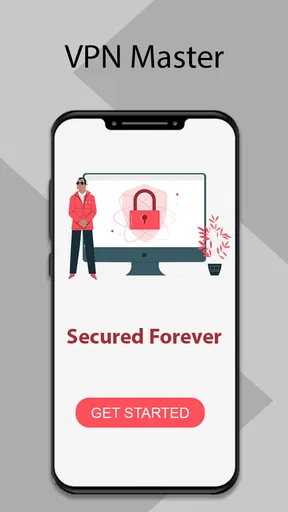
First things first, downloading VPN Master was a breeze. Available on both Android and iOS, it took just a couple of taps to have it ready for action. Once installed, you’re greeted with a clean and intuitive interface. Honestly, even if you’re not a tech wizard, you’ll find it easy to navigate.
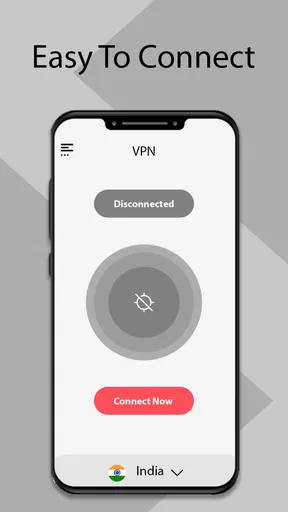
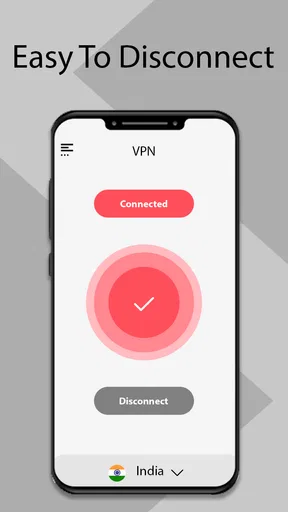
The app makes a great first impression by not overwhelming you with too many options right off the bat. You can quickly connect to a server with just a tap on the big, bold connect button. Perfect for those "I need security, and I need it now" moments.
Features that Stand Out
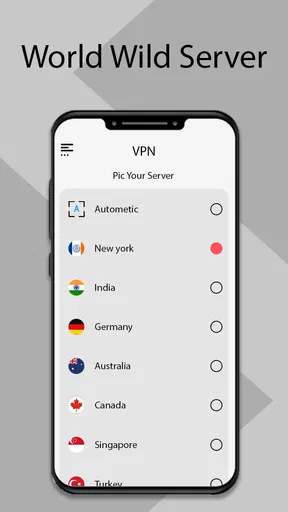
Now, let’s talk features because VPN Master has quite a few. One of the highlights is the extensive server list. With servers spread across numerous countries, you can virtually teleport your internet presence anywhere in the world. This is particularly handy for accessing geo-restricted content.
Another feature that caught my attention is the app’s speed. Often with VPNs, you trade off speed for security, but not here. Streaming and browsing were seamless, with minimal buffering or lag. It's like having your cake and eating it too!
Security-wise, VPN Master doesn’t disappoint. It employs top-notch encryption protocols to keep prying eyes at bay. Whether you’re shopping online or checking your bank account on public Wi-Fi, you can do so with peace of mind.
Usability and User Experience
Usability is key, and VPN Master nails it. The app’s design is straightforward, avoiding unnecessary clutter. The settings menu is easy to navigate, with clear options to tweak your connection preferences.
What I also appreciate is the app’s performance on different networks. Whether on mobile data or a somewhat sketchy coffee shop Wi-Fi, VPN Master maintained a steady connection. It’s reliable, and that’s something you want from a VPN.
One thing worth mentioning is the customer support. They’ve got a responsive team ready to help you out whenever you hit a snag. It's reassuring to know you're not alone if things go awry.
Subscription and Pricing
Let's chat about the cost because, honestly, that’s a big deal for most of us. VPN Master offers a free version, but to unlock all the features, you’ll need to opt for a premium subscription. The pricing is competitive, and they offer several plans to match your budget and needs.
While the free version is decent for casual use, the premium service is where you get the full experience. Plus, they often throw in discounts and offers, so keep an eye out for those.
Final Thoughts on VPN Master
Wrapping it up, VPN Master is a solid choice for anyone in need of a dependable VPN. It’s user-friendly, packed with features, and offers robust security. Whether you’re a seasoned VPN user or a newbie, it’s designed to cater to a wide range of users.
Sure, there are other options out there, but if you’re looking for a VPN that balances performance, security, and ease of use, this one’s worth considering. Why not give it a whirl? You might just find it ticks all the right boxes for your online needs.
Pros
- Easy to use with a simple interface.
- Fast connection speeds across servers.
- Unlimited bandwidth for users.
- Supports multiple devices and platforms.
- Effective at bypassing geo-restrictions.
Cons
- Limited server locations compared to competitors.
- Ads can be intrusive at times.
- Free version has slower speeds.
- Customer support is only via email.
- No dedicated IP address options.
FAQs for VPN Master
What platforms does VPN Master support?
VPN Master is available for both Android and iOS devices. It provides comprehensive support for a wide range of smartphones and tablets, allowing users to easily download and install the app from their respective app stores. Additionally, VPN Master offers compatibility with various operating system versions, ensuring a seamless experience.
Is VPN Master free to use?
VPN Master offers a free version with basic features, allowing users to try out the service. However, for enhanced security and additional features, a premium subscription is available. The premium version provides access to more servers, faster connection speeds, and an ad-free experience, making it ideal for users seeking more robust protection.
How does VPN Master ensure user privacy?
VPN Master employs advanced encryption protocols to secure user data and maintain privacy online. It masks users' IP addresses and encrypts internet traffic, preventing third parties from tracking online activities. The app also follows a strict no-logs policy, ensuring that users' browsing history and personal information are never stored or shared.
Can VPN Master bypass geo-restrictions?
Yes, VPN Master is designed to bypass geo-restrictions, allowing users to access region-locked content from anywhere in the world. By connecting to servers in different countries, users can enjoy streaming services, websites, and apps that may be unavailable in their location, thus expanding their online content options.
What is the installation process for VPN Master?
Installing VPN Master is straightforward. Users can download the app from the Google Play Store or Apple App Store. Once installed, the app guides users through a simple setup process. After installation, users can easily connect to a server with a single tap, starting their secure browsing experience almost immediately.


